Hi @yanluis.ulloa,
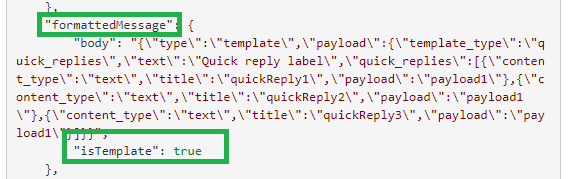
When we have a channel override message template configured at any of the messages on the bot builder, during the execution the data.formattedMessage will contain the configured template and isTemplate as True.
For example, I have configured the welcome message at web/mobile client channel for a bot which will send a quick replies template to the user as below:
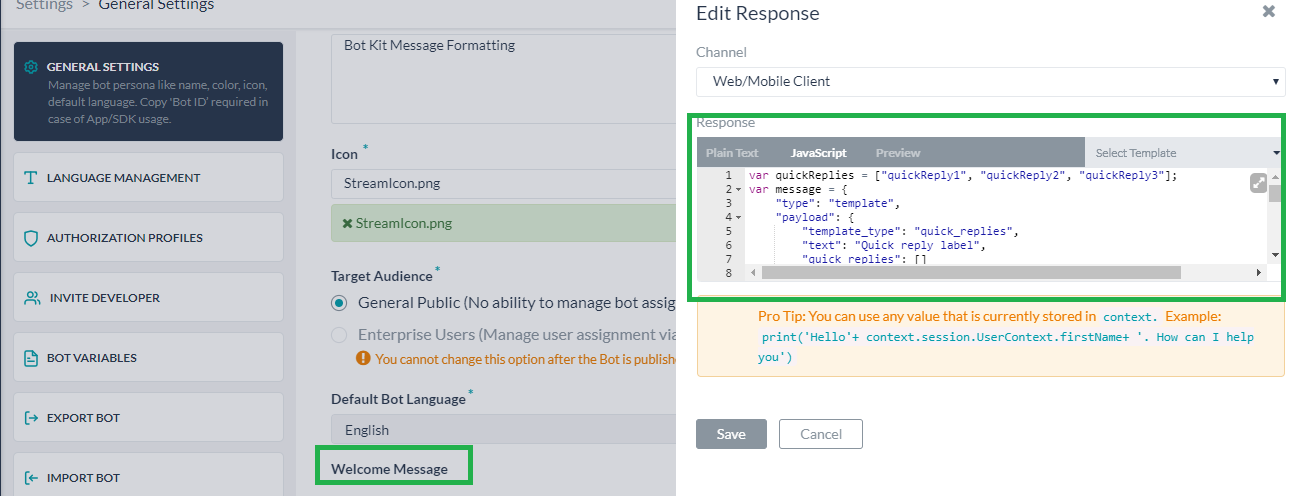
At the bot kit, as mentioned, the template configuration will be available under data.formattedMessage as shown in the below snip
You could write the logic at on_bot_message event in the bot kit to manipulate the response sent by bot in this case. The same was being referred to @https://developer.kore.ai/docs/bots/kore-web-sdk/message-templates/#botkit-sdk-message-formatting-with-templates.
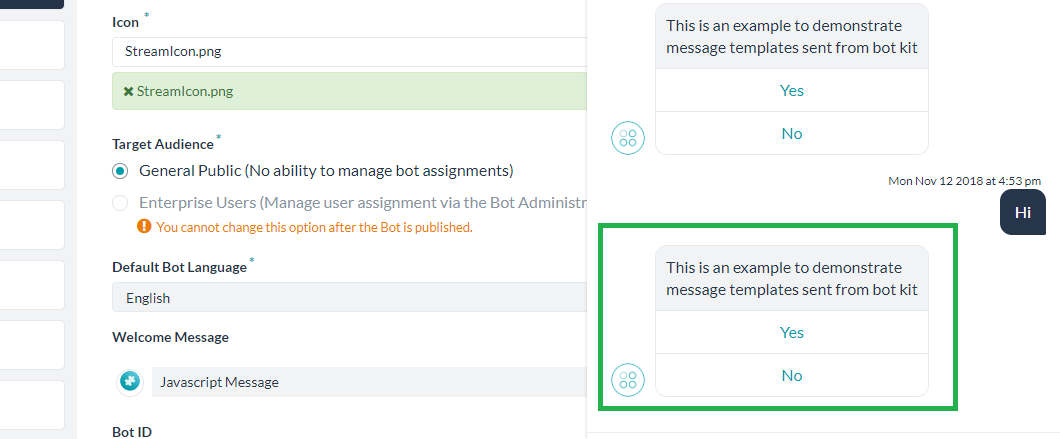
Well, the above article is intended to show the ability to send messages with templates applied from the bot kit. Below is a simple illustration to explain the same.
In this example, the bot will send a button template which is configured inside the bot kit if the user message to the bot is “Hi”
Logic for the same at on_user_message event in the bot kit:
on_user_message: function(requestId, data, callback) {
        console.log("User Message ----->", data.message);
		//console.log(JSON.stringify(data));
        if (data.message === "Hi") {
           {
var overrideMessagePayload =
{
body : JSON.stringify({
"type": "template",
"payload":
{
"template_type": "button",
"text": "This is an example to demonstrate message templates sent from bot kit",
"buttons":
[{
"type": "postback",
"title": "Yes",
"payload": "Yes"
},
{
"type": "postback",
"title": "No",
"payload": "No"
}]
}

}),
isTemplate :true
		   }
		   data.overrideMessagePayload= overrideMessagePayload;}
  return sdk.sendUserMessage(data, callback);
        }
The developer need to add the overMessagePayload to the data and then could send it back to the user as mentioned in above code snippet.
Below snip show the template sent to user with the message “Hi”