Description:
To disable the chat input field in the Web SDK(XO 11 v3) when the list of entities is displayed while talking to the bot or for a particular bot message/template
Please follow the steps below:
- You can achieve this scenario through Web SDK Events.
- Web SDK have Events through which we can do any customizations to the chat window
web-kore-sdk/docs/customizations at v3/dev · Koredotcom/web-kore-sdk · GitHub - Please refer the following link to understand more about webSDK:
Kore.ai Web SDK Tutorial - Kore ai Docs
STEPS:
-
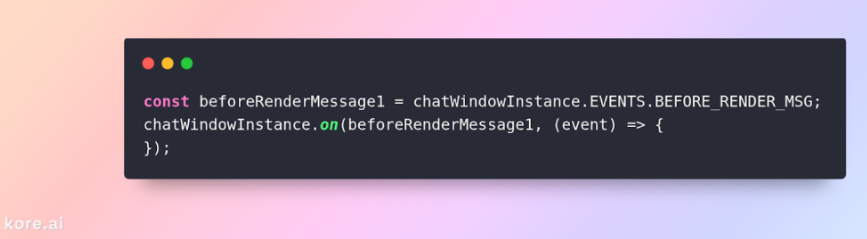
Listen to the Events using below snippet
-
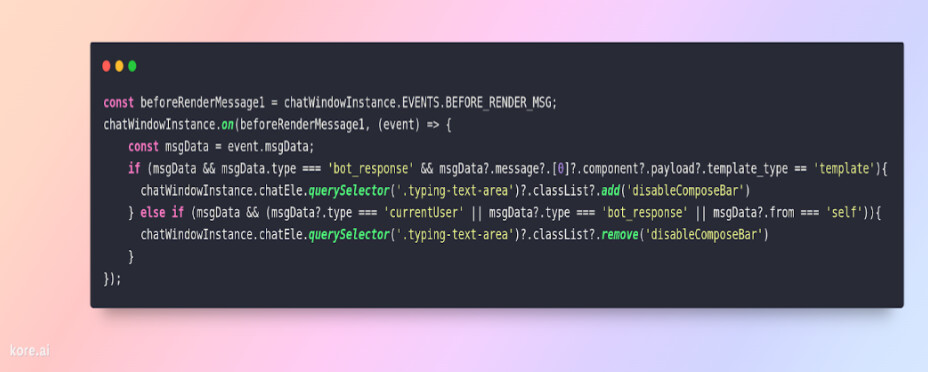
Now add the following condition as shown below. Please modify the template type according to your use case.
-
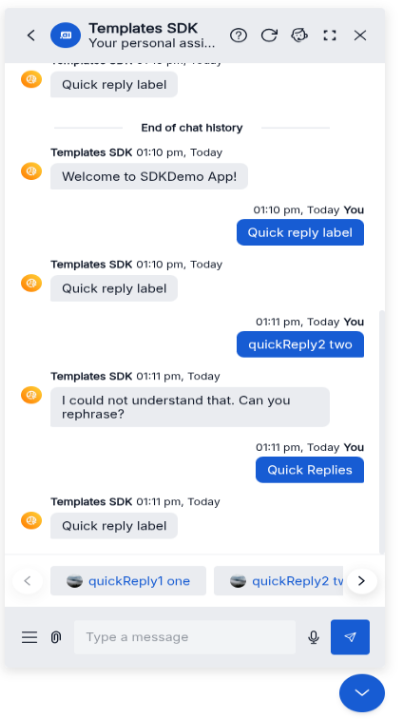
Now we can see chat input field got disabled
-
Chat input field will be enabled again once the button is clicked or when a new message is arrived from the bot
-
We can use the same event for any other message related customizations
Content by @venkateswara.velidi