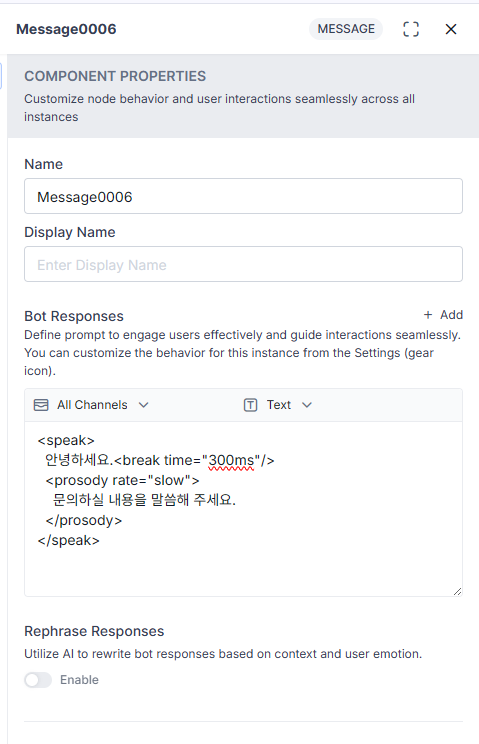
We need an example of SSML usage.
We want to use SSML in TTS.
We need a clear example of how to use it.
Using it as an attached file doesn’t work.
We need an example of SSML usage.
We want to use SSML in TTS.
We need a clear example of how to use it.
Using it as an attached file doesn’t work.
Hi Team,
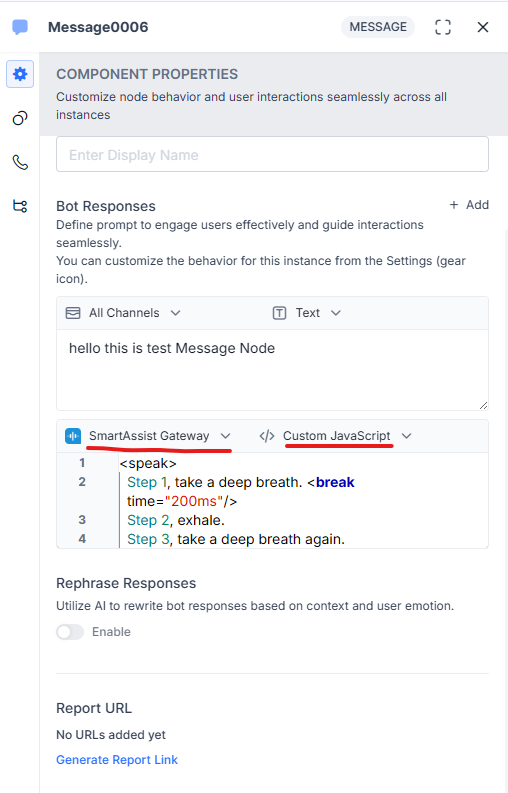
To use SSML for Text-to-Speech (TTS) in a Message Node, you can configure the message within the Bot Response section.
Please follow the steps below:
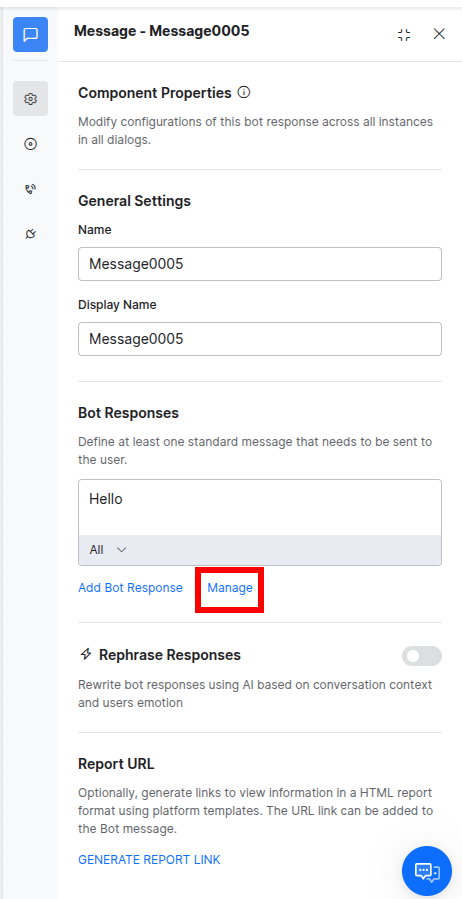
Navigate to Bot Response and click on Manage.
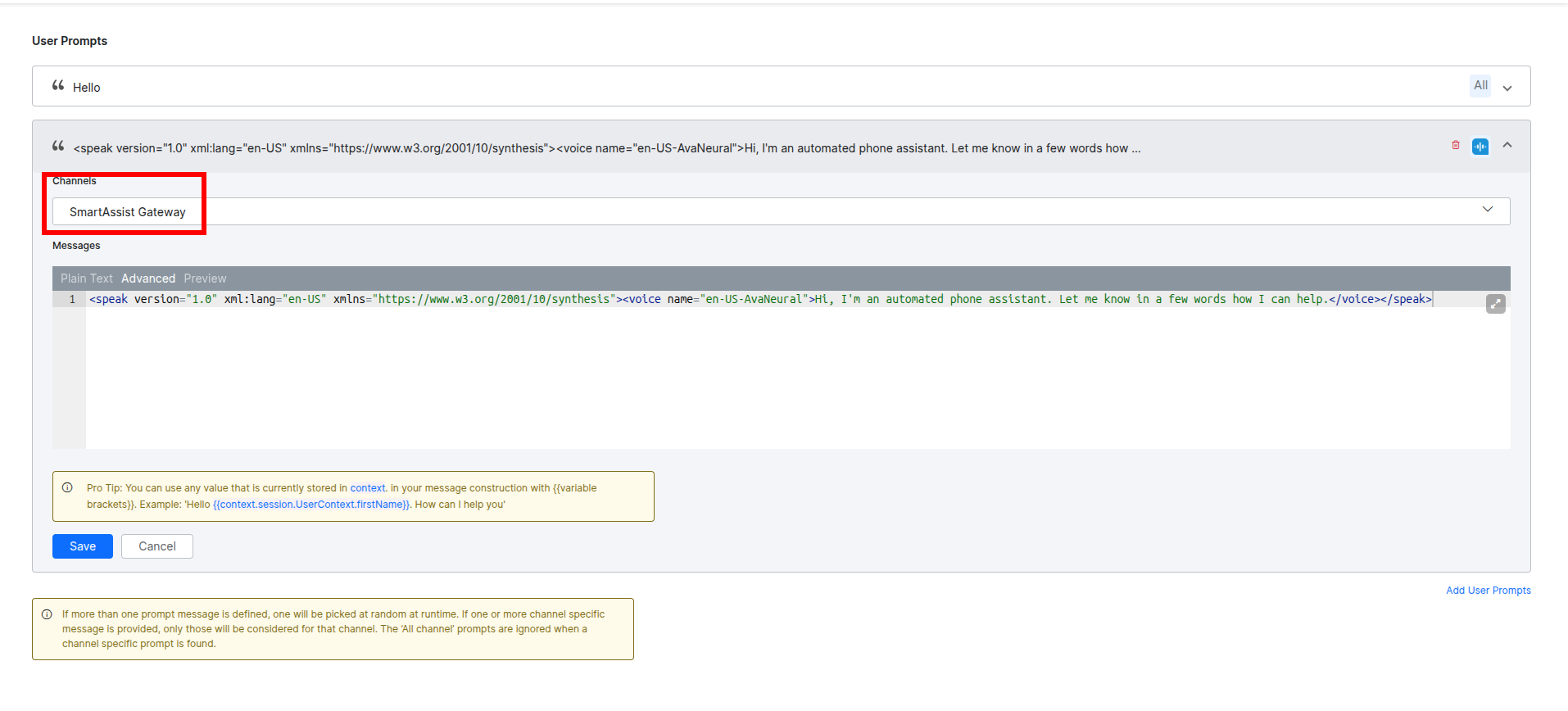
Add a new User Prompt.
Select the channel as SmartAssist Gateway.
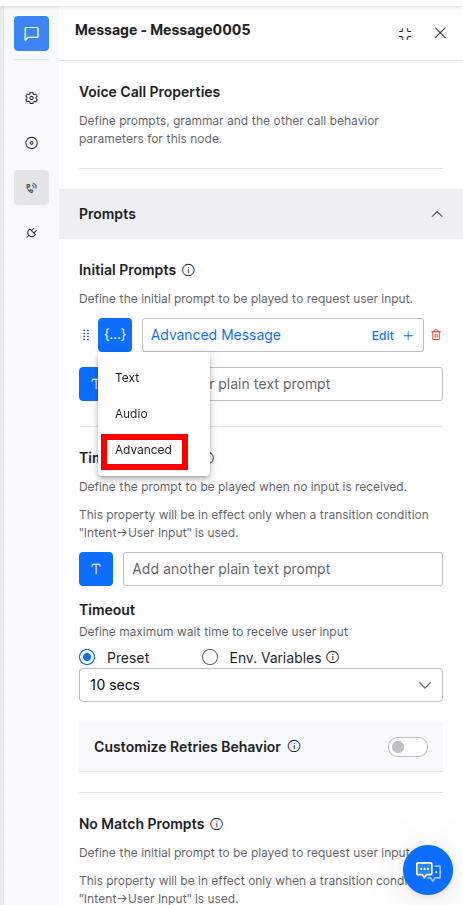
Under the Advanced section of the message, add the SSML content.
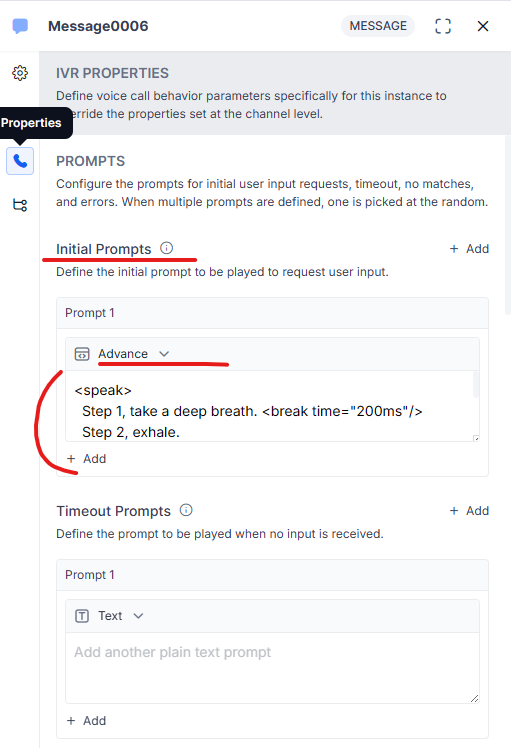
For your reference, we have shared the relevant screenshots along with the documentation link below for the sample SSML and also for MS Azure and Google.
Additionally, SSML prompts can also be configured under the Prompts section for the following scenarios within the IVR Properties of the Message Node:
Initial Prompts
Timeout Prompts
No Match Prompts
Error Prompts
We hope this information is helpful. Please feel free to reach out if you need any further clarification or raise a support ticket with us.
Documentation: Features and Capabilities - Kore ai Docs
MS Azure: Speech Synthesis Markup Language (SSML) document structure and events - Speech service - Foundry Tools | Microsoft Learn
Google: Speech Synthesis Markup Language (SSML) | Cloud Text-to-Speech | Google Cloud Documentation