Description of Behavior
In the past, I’ve set the Max Tokens option through the Agent Platform UI and have seen that under the Metadata section in the Trace of a CustomChat event the ls_max_tokens option would be present and would be set to the same value specified through the UI. Now, when setting the Max Tokens option, the ls_max_tokens option is no longer present.
Here are screenshots of a “Successful query trace metadata” where this option is present and has the correct value, and an “Unsuccessful query trace metadata” where the option is not present.
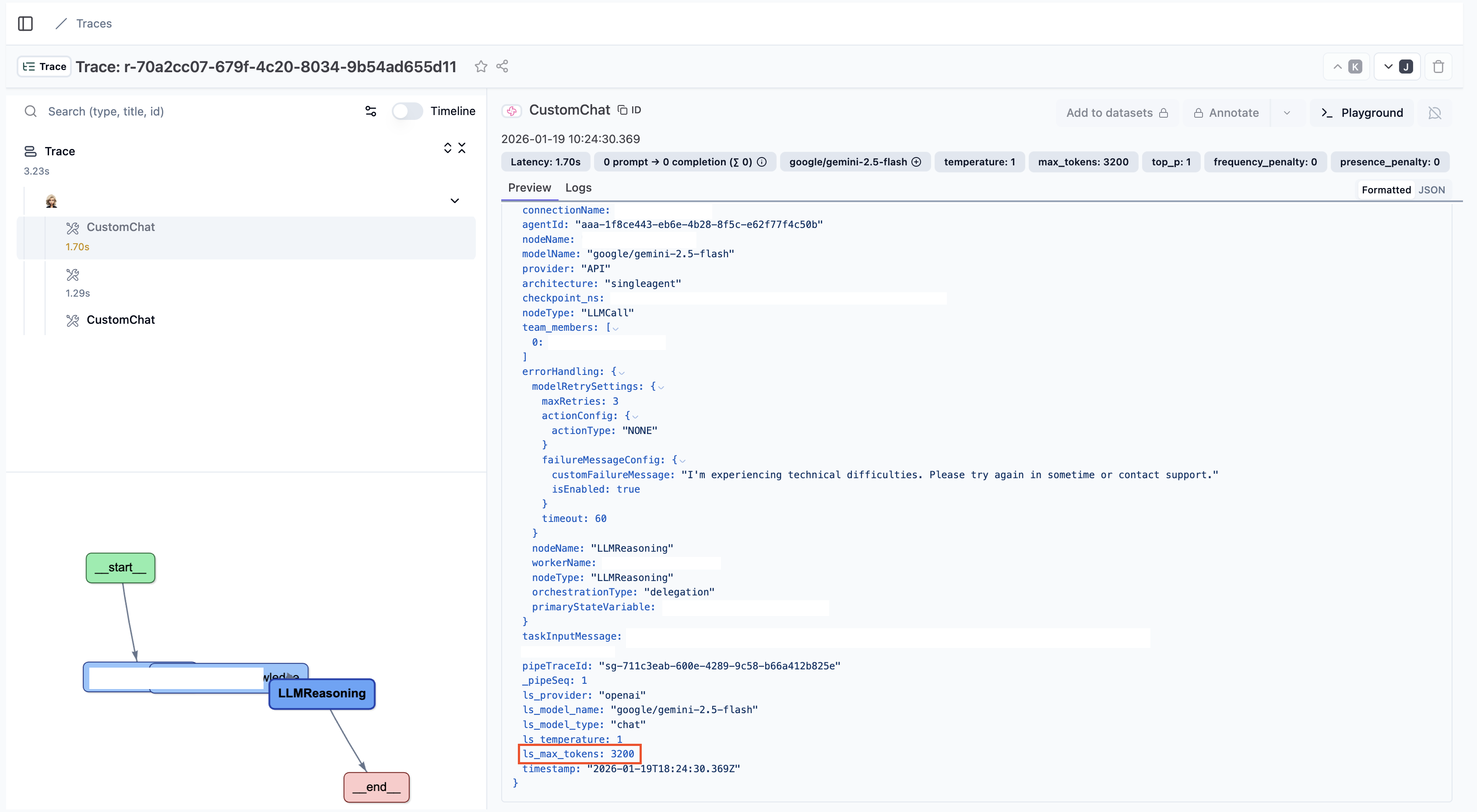
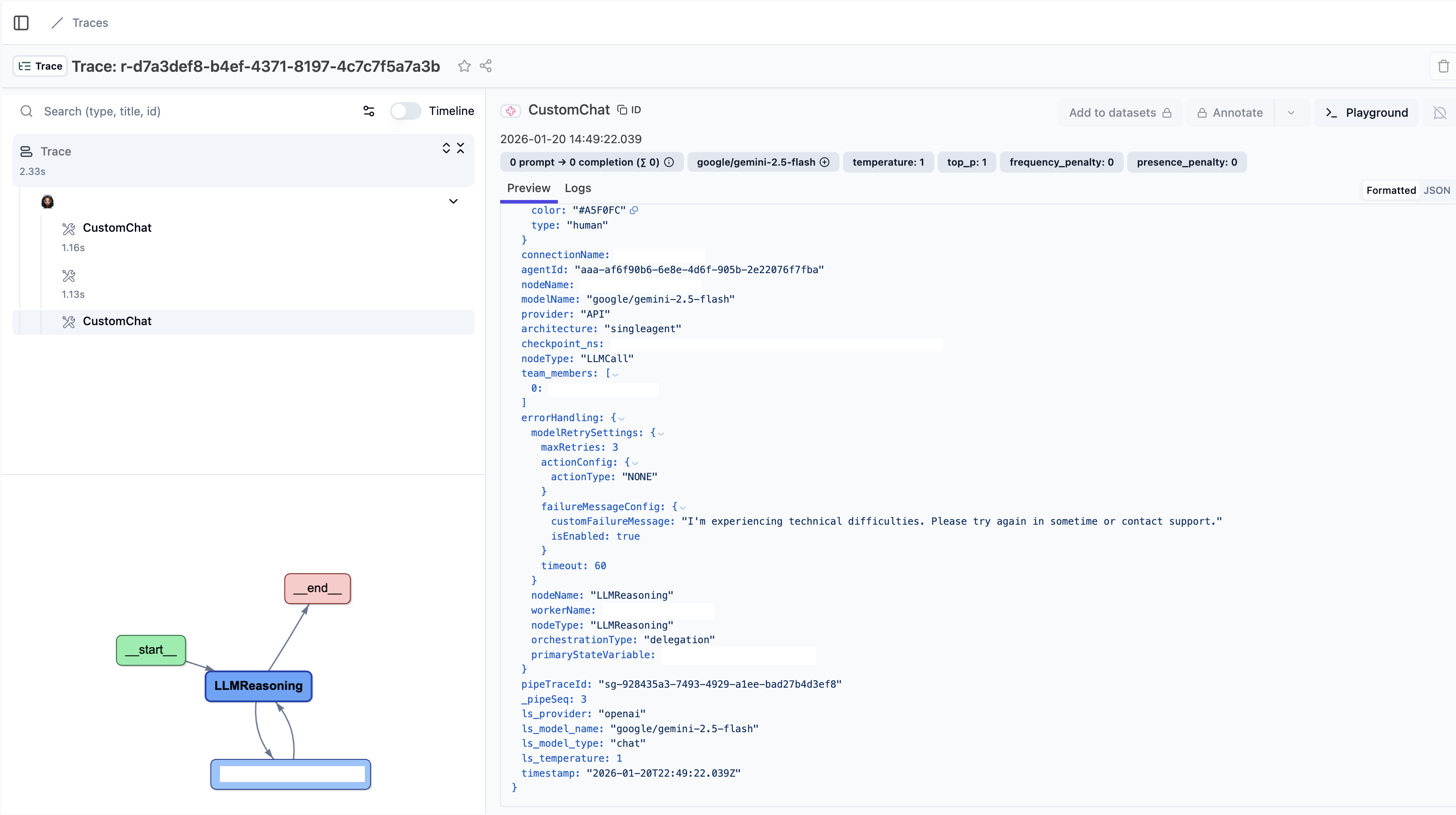
I noticed this behavior changed from ~the morning (PT) of January 19, 2026 to ~the evening of that same day.
Results of Behavior
This results in an “Agent is unable to process your request.” message in the Playground section of the Agentic App when testing the Agentic App.
I suspect that because this option no longer seems to be saved correctly/applied to Agentic App usage the default number of Max Tokens is used (which, at least in the UI, is 256 tokens). I believe the response from the agent is exceeding this very low token limit, which is resulting in the “Agent is unable to process your request.” message.
Reproducible Example
To reproduce (specific title, definition, and instructions for app and agent shouldn’t matter to reproduce this particular behavior AFAIU):
-
Create an Agentic App with a Single Agent orchestration pattern
-
Create a single agent
-
Set the “Max Tokens” option to any non-default number e.g. 3200 and do this both in:
-
the Orchestrator view: Orchestrator → Default AI Model → Settings cog for default AI model
-
the Agent: Agents → click agent → Profile → AI Model → Settings cog for AI Model
-
-
Go to Playground and ask a question, observe “Agent is unable to process your request.” message
-
Click “Open session in external viewer” in the session pane on the right side of the screen
-
Click button to open Trace in external viewer
-
Click CustomChat event in trace
-
Explode Metadata section of trace and observe no `ls_max_tokens `option