Hi @nehamsheikh,
We apologize for the delay and appreciate your patience.
Please find the below implementation steps to create a custom template:
We are giving an example of creating a copy of the existing button template as a custom template.
1- Create a task with a message node.
2- Add a web/mobile client response to the message node, navigate to the javascript tab in the response and add the following code:
var info = ["Custom Button1", "Custom Button2", "Custom Button3"];
var message = {
“type”: “template”,
“payload”: {
“template_type”: “customButton”,
“text”: “Custom Button Template (getDetails task))”,
“subText”: “Button Template Description”,
“buttons”:
}
};
for (i = 0; i < info.length; i++) {
// if the button is to send back text to platform
var button = {
“type”: “postback”,
“title”: info[i],
“payload”: “payload”+(i+1)
};
/* Uncomment this if the button is to redirect to url
 var button = {
 "type":"web_url", // type can be "postback" if
 "url":"URL_TO_REDIRECT",
 "title":buttons[i]
 };
 */

message.payload.buttons.push(button);
}
print(JSON.stringify(message));
This is the same javascript which would be generated when you select the button template from the templates drop-down.
We will need to change the “template_type” name to customButton.
2- In the SDKApp folder, open the customTemplate.js file available in SDKApp/sdk/UI/custom/customTemplate.js
3- You can observe the sample code commented in the file. Uncomment the function customTemplate.prototype.renderMessage = function (msgData).
4- In function: customTemplate.prototype.renderMessage = function (msgData)
ensure that the template type name is changed to “customButton”
msgData.message[0].component.payload.template_type == “customButton”
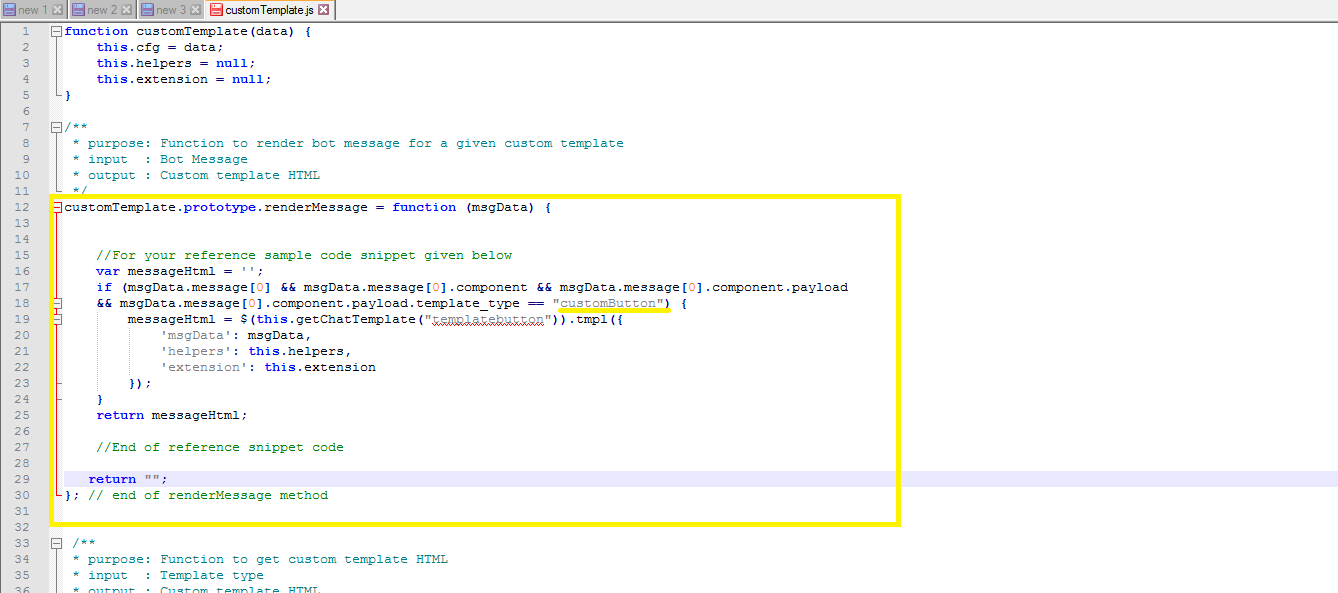
5- This function internally calls
this.getChatTemplate(“customButtonTemplate”) which actually returns the custom template. (Replace “templatebutton” with “customButtonTemplate” here.
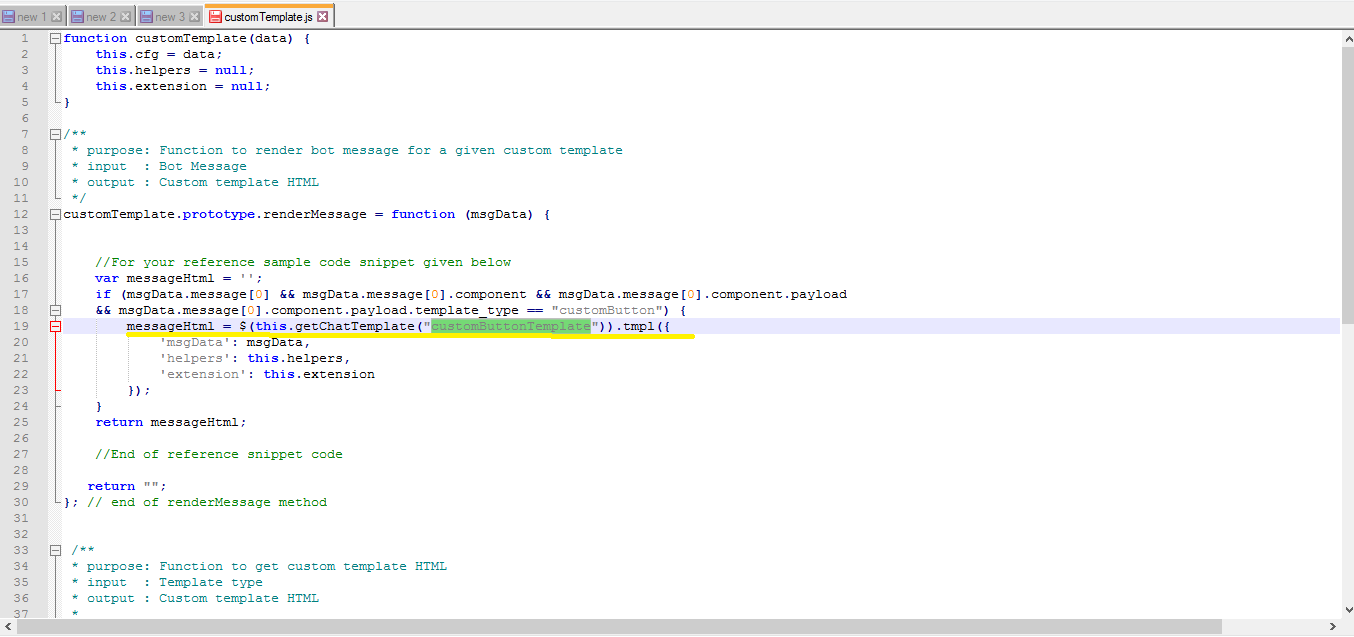
6- Uncomment the function customTemplate.prototype.getChatTemplate = function(tempType) .
7- This function has the template definition in the variable customButtonTemplate. The template definition here is the jquery code in this case which creates the template structure. (If you are writing your custom template then, the structural code goes here).
8- Replace the var templateButton with the customButtonTemplate. Make the changes as per the image.
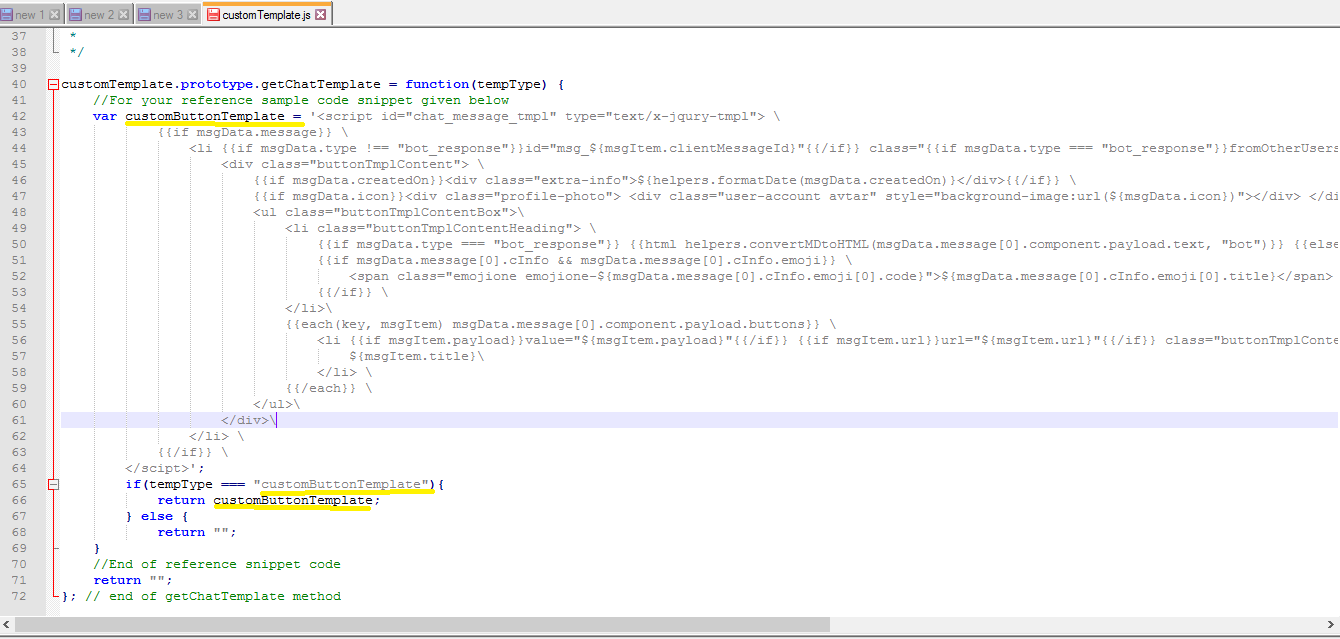
This would return the variable that has the template.
So, implementing as above would invoke the customButtonTemplate when the message node is executed.
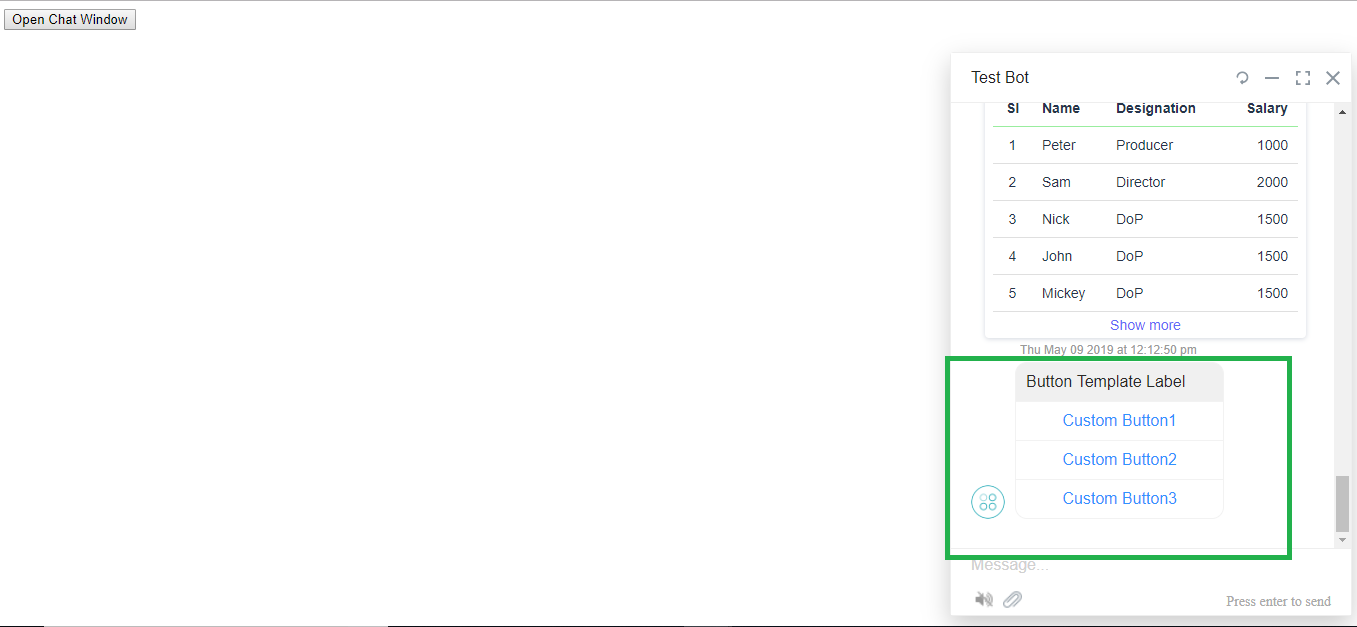
Summarizing the above, to create a custom template:
- You will need to define the template in the customTemplate.prototype.getChatTemplate = function(tempType) function.
- Write the Jquery code to structure the template and assign it to a javascript variable. The CSS for the template can be defined in the customTemplate.css file.
- In the customTemplate.prototype.renderMessage = function (msgData), change the template_type name to your customTemplate name and as mentioned this function will take the variable data and create the template structure.
- In the message node, you can write the javascript to pass data to the template. (This will be your business logic).
Hope this helps!!
Please accept our humble apologies for the delay. We were just trying to get a better work.
Regards,
Yoga Ramya.